

Form 2 under the new Act: how infra funds and PSUs apply to get a zero coupon bond notified under section 2(112)
Form 2 lets infrastructure capital companies, funds, debt funds and PSUs seek Gazette notification of a zero coupon bond under section 2(112), at least three months before issue, DSC only.
Key points
- Under the Income-tax Act, 2025, four kinds of issuer apply on Form 2 to have a zero coupon bond notified under section 2(112).
- Form 2 must be filed at least three months before the issue date, the bond's life is capped at 20 years and verification is by DSC only.
- Filing yields only an ARN; the bond qualifies once the Central Government notifies it in the Official Gazette, so issuers should file early.
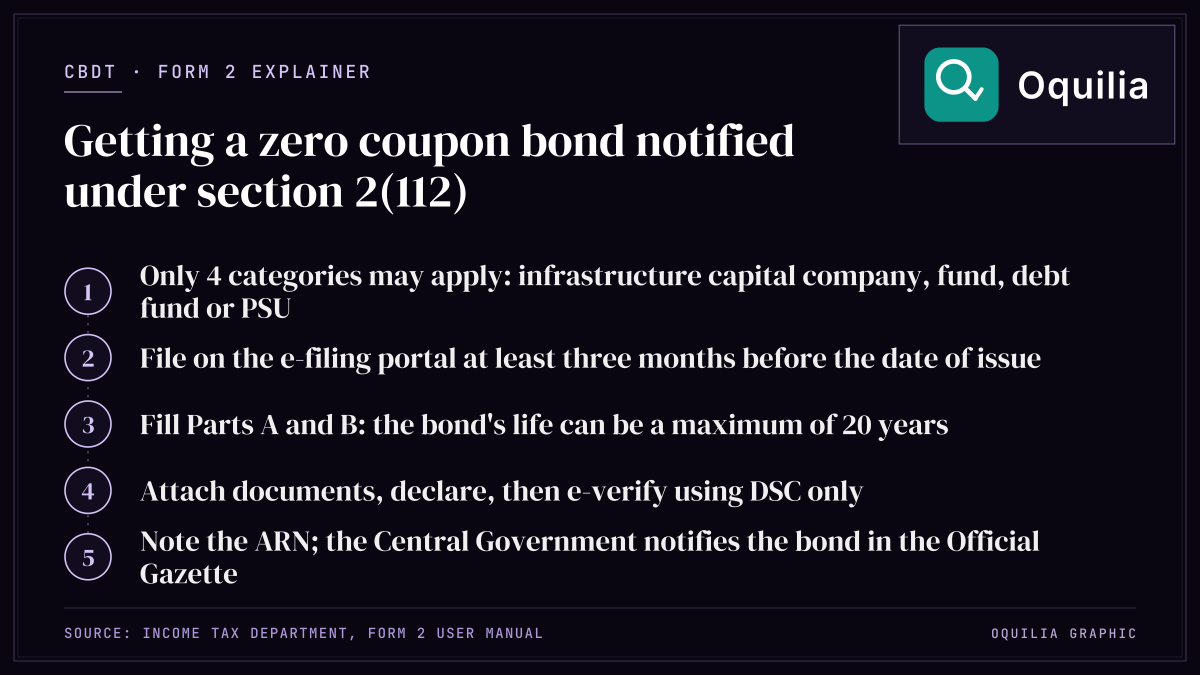
An infrastructure company that wants to raise long-dated money through a zero coupon bond cannot simply print the paper and sell it. Under section 2(112) of the Income-tax Act, 2025, the bond has to be notified by the Central Government in the Official Gazette, and the issuer asks for that notification on Form No. 2, filed on the income tax e-filing portal at least three months before the date of issue. This explainer walks through the form panel by panel, using the Income Tax Department's own Form 2 User Manual as the source for every step.
The form matters to a narrow but important group: only 4 categories of issuer can use it, and the bond it covers can run for a maximum of 20 years. Retail investors never file Form 2, but the notification it seeks is what puts a bond inside the section 2(112) definition in the first place.
What the Section Says
Section 2(112) of the Income-tax Act, 2025 is the definition clause for a "zero coupon bond". In plain terms, a zero coupon bond is a bond that pays no periodic interest (a 0% coupon). It is issued at a discount to its face value and redeemed at face value on maturity, so the investor's entire return is the gap between the issue price and the redemption amount. Our glossary entry on the zero coupon bond and the one on coupon rate cover the general mechanics.
Not every discounted bond qualifies. The Form 2 User Manual states that the application is for "notification of a zero coupon bond under section 2(112) of the act by Central Government in the Official Gazette", and that it is filed by an entity that falls in one of 4 categories, listed in the table below.
| Sl. | Category of applicant (Form 2, Part A, field 2 dropdown) |
|---|---|
| 1 | Infrastructure capital company |
| 2 | Infrastructure capital fund |
| 3 | Infrastructure debt fund |
| 4 | Public sector company |
Three conditions run through the official manual, and each one is a hard gate:
| Condition | What the manual says | Where it bites |
|---|---|---|
| Timing | Application to be filed at least three months before the date of issue of the bond | Section 3.2, "Who can use it?" |
| Life of bond | Maximum life of 20 years | Part B, Serial No. 6 |
| Verification | Form can be e-verified using DSC only | Step 14 |
| Account status | PAN must be "Active" and the user registered on the portal | Section 2, prerequisites |
| DSC | A valid Digital Signature Certificate, registered on the portal and not expired | Section 2, prerequisites |
The notification itself comes from the Central Government in the Official Gazette, not from the portal. Filing Form 2 generates an Acknowledgement Receipt Number (ARN) and a Transaction ID (Step 15); it does not by itself make the bond a notified zero coupon bond. This explainer does not discuss how the bond's discount is taxed in an investor's hands, because the source manual is silent on that and Oquilia states tax treatment only from an official page.
How to File Form 2: The 15 Steps
The manual lays out 15 numbered steps. Grouped by stage, they run as follows.
- Log in (Steps 1-2). Sign in to the e-filing portal with the User ID (PAN) and password.
- Find the form (Steps 3-4). Go to e-File > Income Tax Forms > File Income Tax Forms. Of the 3 tabs, choose "Forms as per Income Tax Act 2025", search for Form 2 and click File Now.
- Confirm filing details (Steps 5-6). Check the PAN, Submission Mode and Filing Type, select the applicable Tax Year (T.Y.), click Continue, then "Let's Get Started".
- Panel 1, Part A (Step 7). Particulars of the applicant. The manual warns that every mandatory field in "My Profile", including the address, must be complete first. Field 2 is the category dropdown with the 4 options above.
- Panel 2, Part B (Step 8). Particulars of the zero coupon bond proposed to be issued, including Serial No. 6 (period of life, 20 years at most) and Serial No. 8 (details of investment).
- Panel 3, Attachments (Step 9). Upload the supporting documents and save.
- Panel 4, Declaration (Step 10). Confirm and save.
- Preview and verify (Steps 11-14). Once all 4 panels show "Completed", the Preview button activates. Download the preview PDF if needed, click Proceed to e-Verify, confirm "Yes", and sign with DSC.
- Acknowledgement (Step 15). Note the Transaction ID and ARN. A confirmation also goes to the registered email and mobile.
Serial No. 8 of Part B is the heaviest part of the form. It is split into 5 sub-heads:
| Sub-head | What the issuer must disclose |
|---|---|
| A | Entity in which investment is proposed: name, nature of entity, PAN, address, nature of business |
| B | Project details: address or location of the project, planned date of commencement of the project and of operations |
| C | Source of investment |
| D | Management responsible for execution: designation, name, PAN, qualification, experience and performance |
| E | Amount of funds realised by the bond issue proposed to be invested, project-wise |
Sub-heads A and B each use an "Add" button, so an issuer funding 2 or more projects enters one row per project rather than a single consolidated figure. Our article on the Form 1(N) notification for IFSC aircraft-leasing units covers another form in the same "Forms as per Income Tax Act 2025" tab.
Worked Example
Take a hypothetical public sector company, called PSU-X here, that plans to raise Rs 500 crore through a zero coupon bond with a face value of Rs 1,000 per bond, to fund 2 highway projects. All figures in this example are illustrative, chosen to show the arithmetic and the deadlines; they are not drawn from any actual issue.
Step 1: Work back from the issue date. PSU-X wants to issue on 1 July 2027. The manual requires Form 2 at least three months before issue, so the latest filing date is 1 April 2027. A prudent treasury team files earlier, because the ARN is only a receipt and the Gazette notification still has to follow.
| Planned issue date | Three months earlier (latest filing) | Suggested internal target |
|---|---|---|
| 1 July 2027 | 1 April 2027 | 1 March 2027 |
| 1 October 2027 | 1 July 2027 | 1 June 2027 |
| 1 January 2028 | 1 October 2027 | 1 September 2027 |
Step 2: Check the 20-year cap. PSU-X proposes a 15-year life, so a bond issued on 1 July 2027 would mature on 1 July 2042. That passes Serial No. 6. A 25-year tenor would be rejected at the form stage, since the manual caps the life at 20 years.
Step 3: Understand the discount. Suppose each Rs 1,000 bond is sold at Rs 400. The investor receives nothing for 15 years and then Rs 1,000. The implied annual yield is (1,000 / 400)^(1/15) - 1, which is about 6.3% a year compounded. At Rs 500 per bond, the same 15-year bond yields about 4.7%; at Rs 300, about 8.4%. The yield to maturity explainer shows why the discount, not a coupon, carries the whole return. Investors comparing this against a cumulative deposit can run the same tenor through the FD calculator.
| Issue price per Rs 1,000 face | Tenor | Implied annual yield (approx.) | Total face value to raise Rs 500 crore |
|---|---|---|---|
| Rs 300 | 15 years | 8.4% | About Rs 1,667 crore |
| Rs 400 | 15 years | 6.3% | Rs 1,250 crore |
| Rs 500 | 15 years | 4.7% | Rs 1,000 crore |
Step 4: Fill Serial No. 8. With 2 highway projects, PSU-X adds 2 rows under sub-head B, each with its location and planned commencement date, and splits the Rs 500 crore project-wise under sub-head E, say Rs 300 crore and Rs 200 crore. Sub-head D needs the PAN, qualification and experience of the managers running each project.
Step 5: Verify. The authorised signatory signs with a DSC already registered on the portal. If the DSC expired on, say, 31 March 2027, the filing cannot be completed on 1 April 2027 until a fresh DSC is registered, using the portal's DSC registration guide.
Common Mistakes
1. Counting the three months from the wrong date. The manual measures the three months back from the date of issue of the bond, not from the board approval or the date of the offer document. Filing on 15 April 2027 for a 1 July 2027 issue leaves only about 2.5 months.
2. Treating the ARN as the notification. Step 15 gives an ARN and Transaction ID. The bond becomes a notified zero coupon bond only when the Central Government notifies it in the Official Gazette, as section 3.1 of the manual states.
3. Proposing a tenor above 20 years. Serial No. 6 caps the bond's life at 20 years. Long-gestation projects sometimes model 25 or 30-year paper; that cannot go on Form 2.
4. Using the wrong tab. The File Income Tax Forms page has 3 tabs. Form 2 for a section 2(112) bond sits under "Forms as per Income Tax Act 2025". The user manual's path runs only through that tab, so start there.
5. Trying to verify with an EVC or Aadhaar OTP. Step 14 permits verification by DSC only. The portal's e-Verify guide lists other modes for returns, but they do not apply here.
6. An incomplete "My Profile". Step 7 notes that all mandatory "My Profile" details, including address, must be complete. A missing address blocks Part A before the first panel saves.
7. Lumping projects together. Sub-heads B and E are project-wise. A single total of Rs 500 crore against "infrastructure projects" does not match a form built around one row per project.
8. Inactive PAN. The prerequisites in section 2 require PAN status to be "Active". An issuer should check this on the portal at least 1 week before the target filing date.
FAQ
Who can file Form 2 under the Income-tax Act, 2025?
Only 4 categories: an infrastructure capital company, an infrastructure capital fund, an infrastructure debt fund or a public sector company, as listed in field 2 of Part A of the Form 2 User Manual.
How early must Form 2 be filed?
At least three months before the date of issue of the zero coupon bond. For an issue on 1 July 2027, that means on or before 1 April 2027.
What is the maximum life of a bond applied for on Form 2?
20 years, as stated against Serial No. 6 of Part B in the official user manual.
Can Form 2 be verified with an EVC?
No. Step 14 of the manual says Form 2 is verified using a Digital Signature Certificate only, and the DSC must be registered on the e-filing portal and unexpired.
Does filing Form 2 make the bond a notified zero coupon bond?
No. Filing yields an ARN and Transaction ID under Step 15. The notification is issued by the Central Government in the Official Gazette under section 2(112).
Where can I see a Form 2 that has already been filed?
On the dashboard, go to e-File > File Income Tax Forms > View Filed Forms, then the "View Filed Form" tab under Income Tax Act 2025, per the manual's closing note.
Do individual investors need to file Form 2?
No. The form is filed only by one of the 4 issuer categories. An individual buying the bond does not file it; questions on how gains are taxed are best checked against an official CBDT source, and the capital gains calculator helps with the arithmetic once the rate is known.
Sources: Income Tax Department, Form 2 User Manual; the text of the Income-tax Act, 2025 is available on India Code. Worked-example figures are hypothetical and for illustration only.
Sources & Citations
- Form 2 User Manual — Income Tax Department
- How to Register DSC — Income Tax Department
- How to e-Verify — Income Tax Department
- India Code — Legislative Department, Government of India